 button
can be used to access guitar features by choosing the
button
can be used to access guitar features by choosing the
 option.
Guitar Views
The button
can be used to access guitar features by choosing the
option.
In Tablature view the bottom panel displays the same notes as the main staff, but in Guitar Tablature notation. This makes it possible to play music on a guitar by either scrolling through the song, or to practice playing a guitar by listening to the song at a reduced tempo:
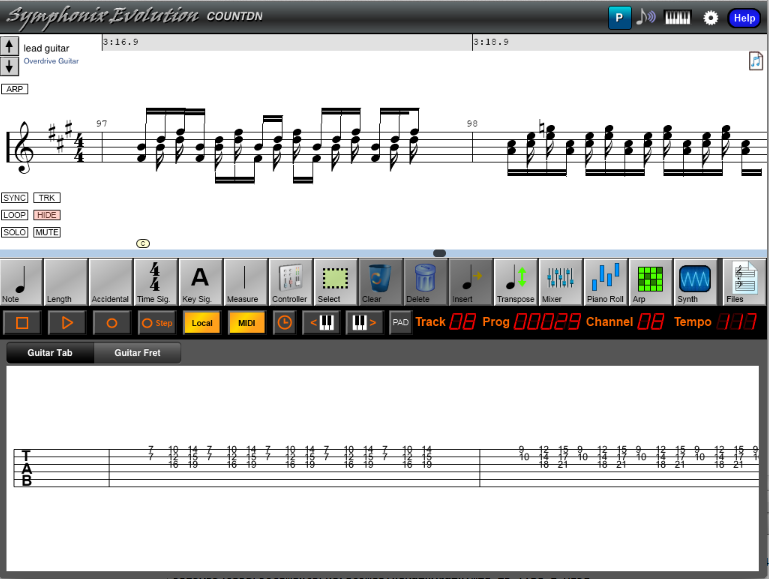
The tablature is aligned with the notation. As the song plays the current position is highlighted.
Use Fret View mode to see a guitar neck, with the fret positions of notes highlighted as the song plays:
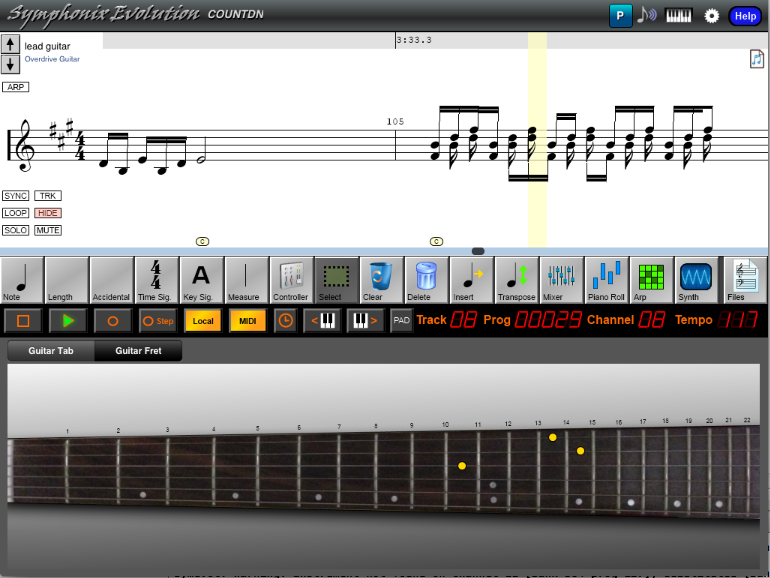
Use Fret View to make it easy to accompany or practice guitar while the song is playing.
Tap a fret position to hear the note that will sound. This can be used with the Step Record or Record modes to record music.